Most budgets fail in the first month, and for the same reason. They start with limits. "€300 for food, €100 for fun." The numbers sound sensible, but they are guesses, and a guess does not survive the first trip to the supermarket.
Start the other way round. Measure first. Set limits after.
The rule: 30 days, every expense, no changes
For one month, write down everything you spend. The rent and the chewing gum. Do not try to spend less. Do not set a single limit. You are not budgeting yet, you are taking a measurement, and a measurement is only useful if you leave the thing alone while you take it.
Three things make it work:
- Everything counts. Small amounts are the ones you forget, and they are the ones that add up. A €3 coffee on 20 workdays is €60.
- Log it when it happens. In the evening you will remember the big purchase and forget two small ones. Ten seconds at the till beats ten minutes of guessing on Sunday.
- One full month. A week misses the rent, the phone bill and the subscription that renews on the 23rd. A month catches almost everything that repeats.
Keep the categories few
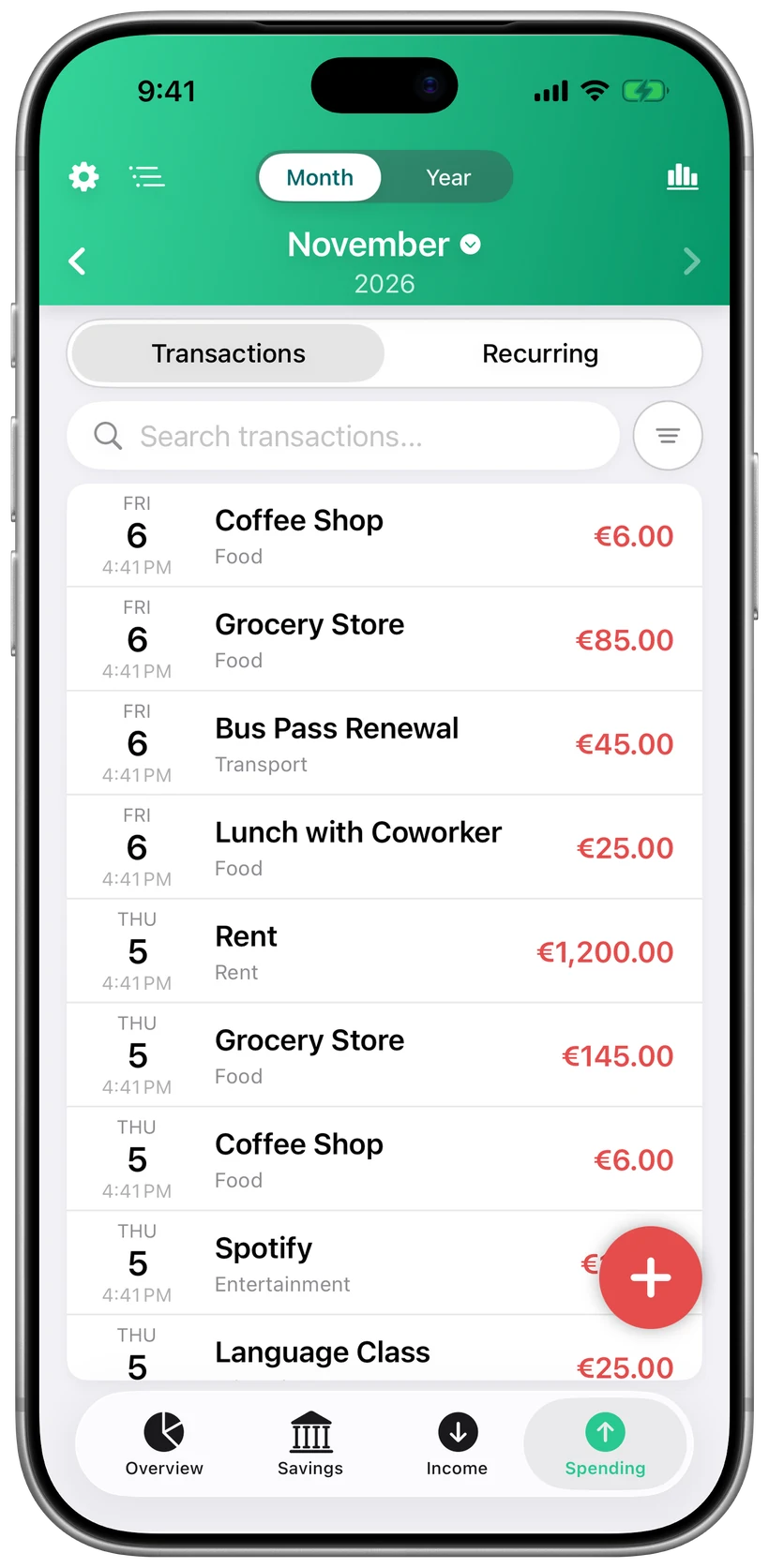
You do not need thirty categories. You need six or seven that you can pick without thinking: rent, food, transport, utilities, shopping, fun, and one called Other.
If you have to stop and decide between "Groceries", "Supermarket" and "Household", you will stop logging by day nine. Broad buckets are fine. You can split one later, when the month shows you it is worth splitting.
Day 30: five questions
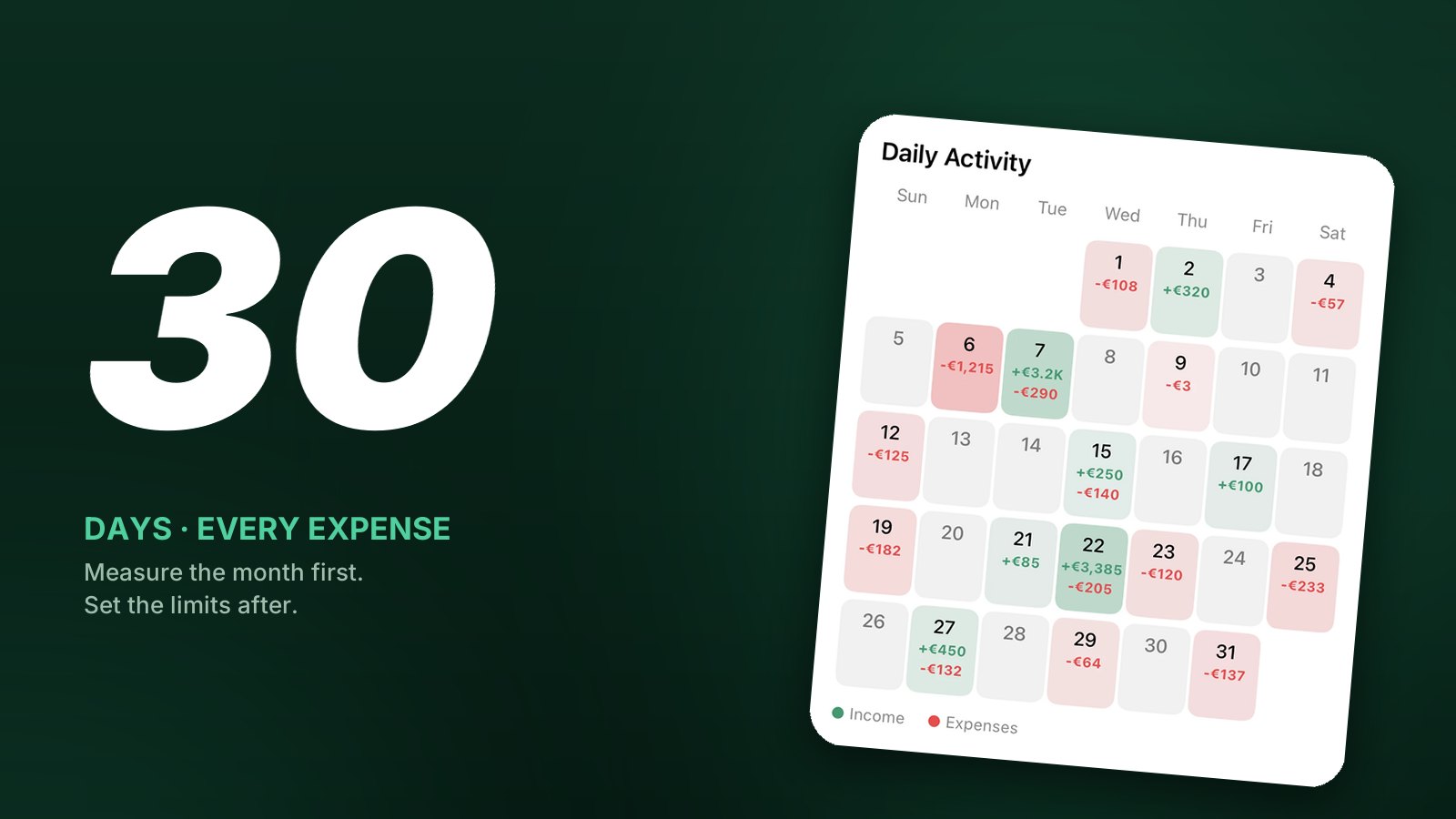
At the end of the month you have two pictures. One shows when the money left, the other shows where it went. The screens below show sample data.
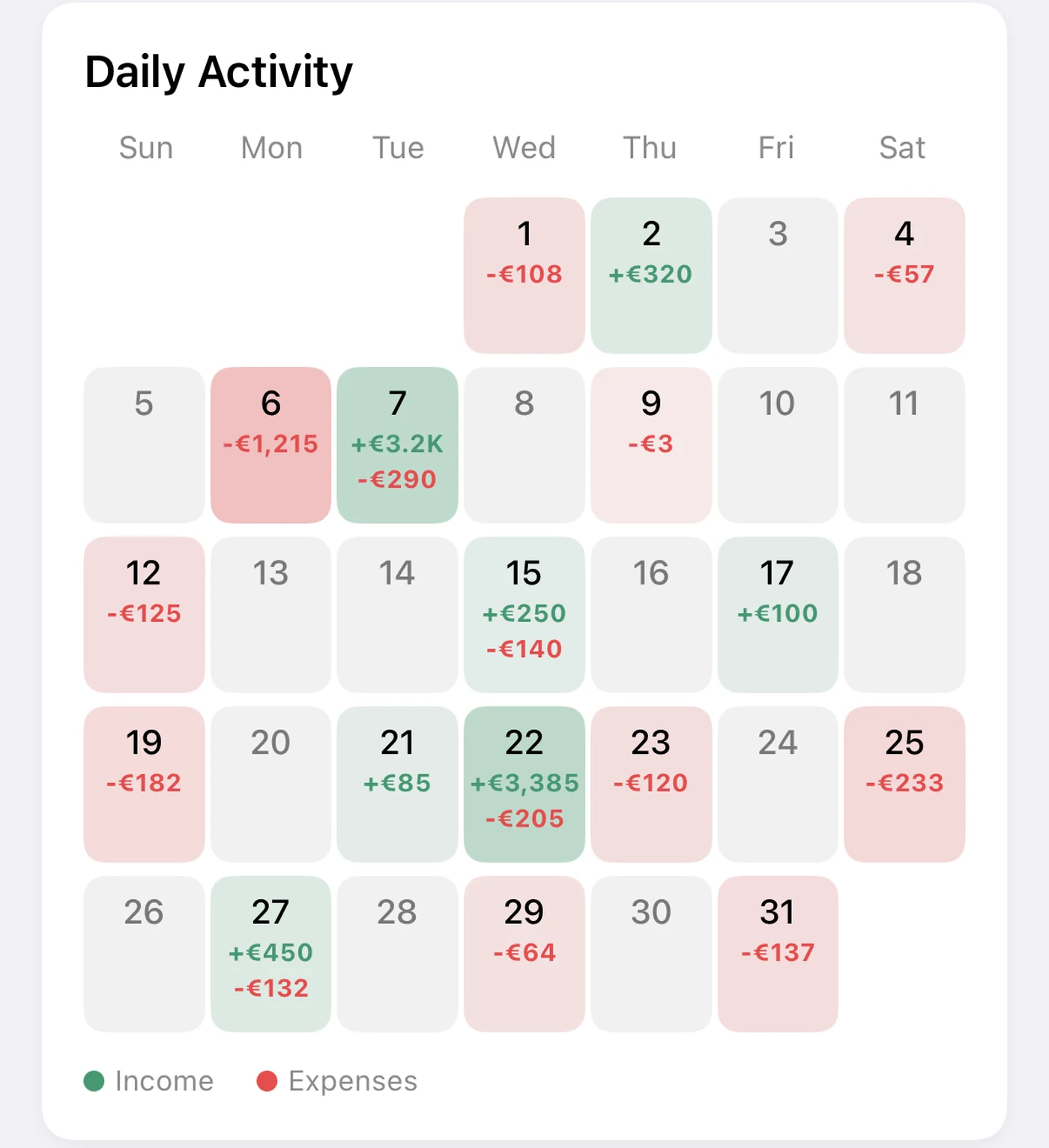
Start with the calendar and ask:
1. Which days were heavy, and did you expect them? The 6th is rent. You knew that one. The 25th, at €233, is a Saturday. That one is worth a tap to see what it was.
2. How many days did you spend nothing? Here, 17 of 31. That is not a goal, only a fact, but it tells you spending comes in bursts, not as a steady drip.
3. Is there a pattern in the week? The four weekend days with spending add up to €597. That is more than anything in the month except rent, and no bill ever told you so.
Then look at the totals by category.
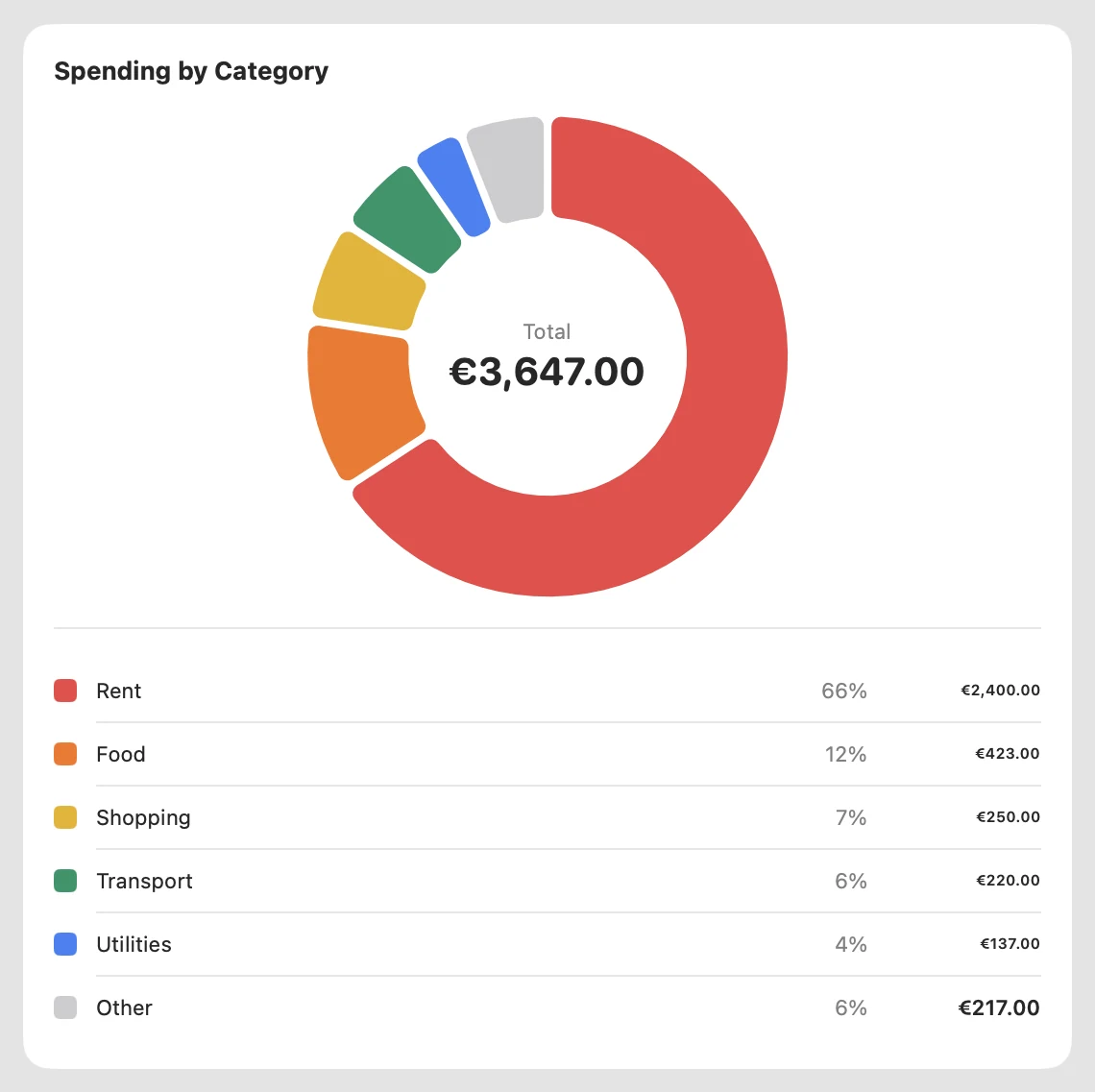
4. What is the biggest thing you can actually change? Rent is 66 % of this month, and you are not moving flat to fix a budget. Food is second, at €423. If you had guessed €300, you now know your guess was off by a third. That gap is the whole point of the exercise.
5. How big is Other? Here it is €217, or 6 %. Over a year that is €2,604 of spending without a name. If Other is one of your top three lines, open it and see what keeps landing there. It usually deserves a category of its own.
Now set limits, from what you saw
Only now does a budget make sense, and it is short work:
- For fixed costs, the limit is the bill. Rent is rent.
- For everything else, start with what you actually spent, rounded up. €423 on food becomes €430. A limit you can keep is worth more than one that looks good.
- Pick one category to trim, by about a tenth. Not all of them. Shopping from €250 to €225 is a change you will notice and can live with.
Next month, the question is no longer "where did it go?" but "am I on track?", and that one has an answer on any day you ask.
What it costs to find out
Thirty days and about two minutes a day. No spreadsheet, and no bank login handed to anyone. You will be surprised by at least one number. Everyone is. That surprise is the first useful thing a budget ever tells you, and you get it before you have set a single limit.