The budget tracker that answers to you — not to advertisers. Log an expense in seconds, watch the month take shape, and keep every number on your own devices — iPhone, iPad and Mac, in step through your own iCloud.
$0.99 once. No subscription, ever.
0 accounts
0 trackers
0 languages
0 charts
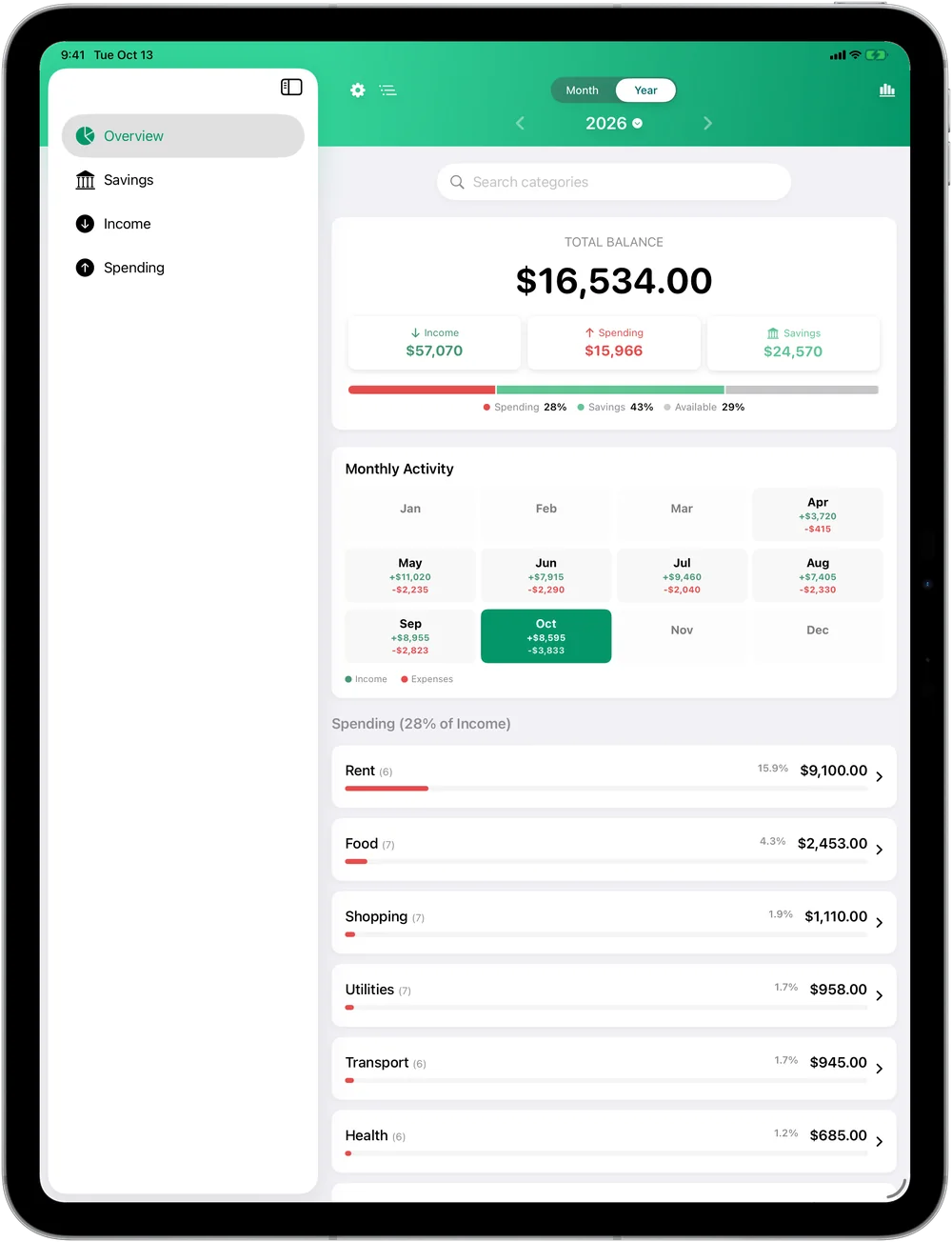
Total balance
$16,534.00▲ +$2,352.00 this month
Analytics
See the whole picture
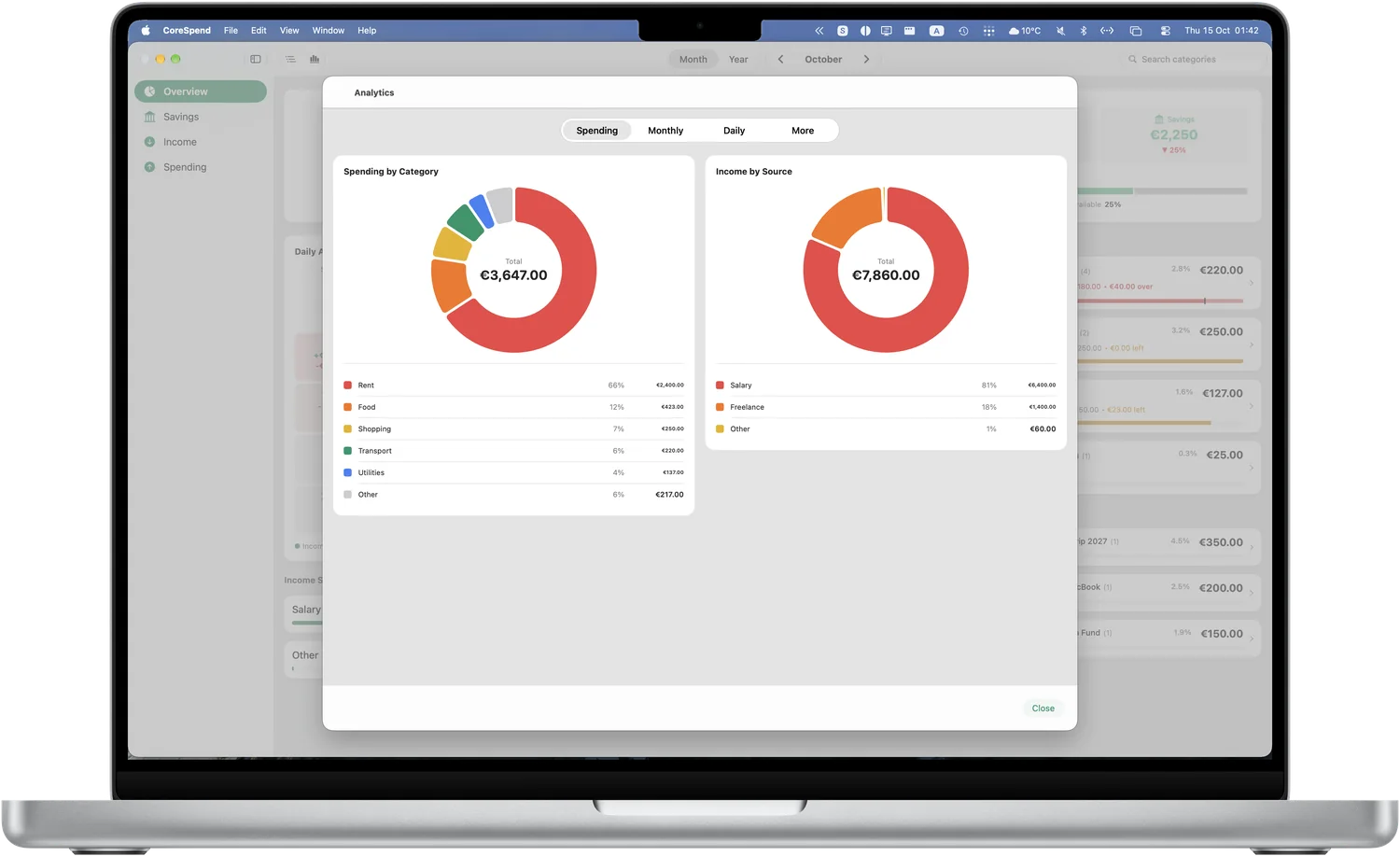
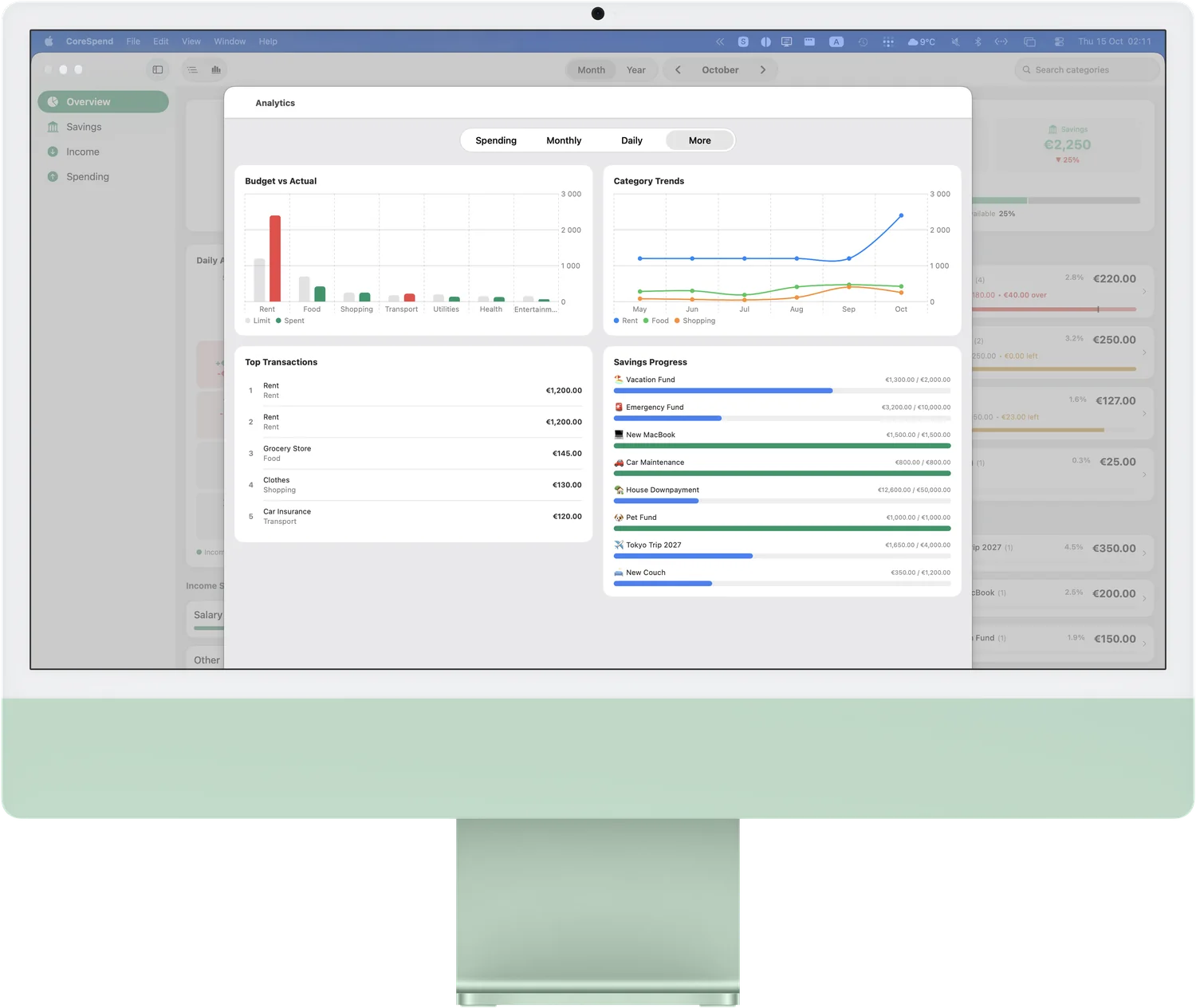
Seven charts that explain your money — spending by category, income by source, net trend, savings rate, daily spend and the weekday you always overdo it. Big on the Mac, the same on your phone.
−$300.00 Shopping · 11% of the month's spending
Calendar
Every day, in color
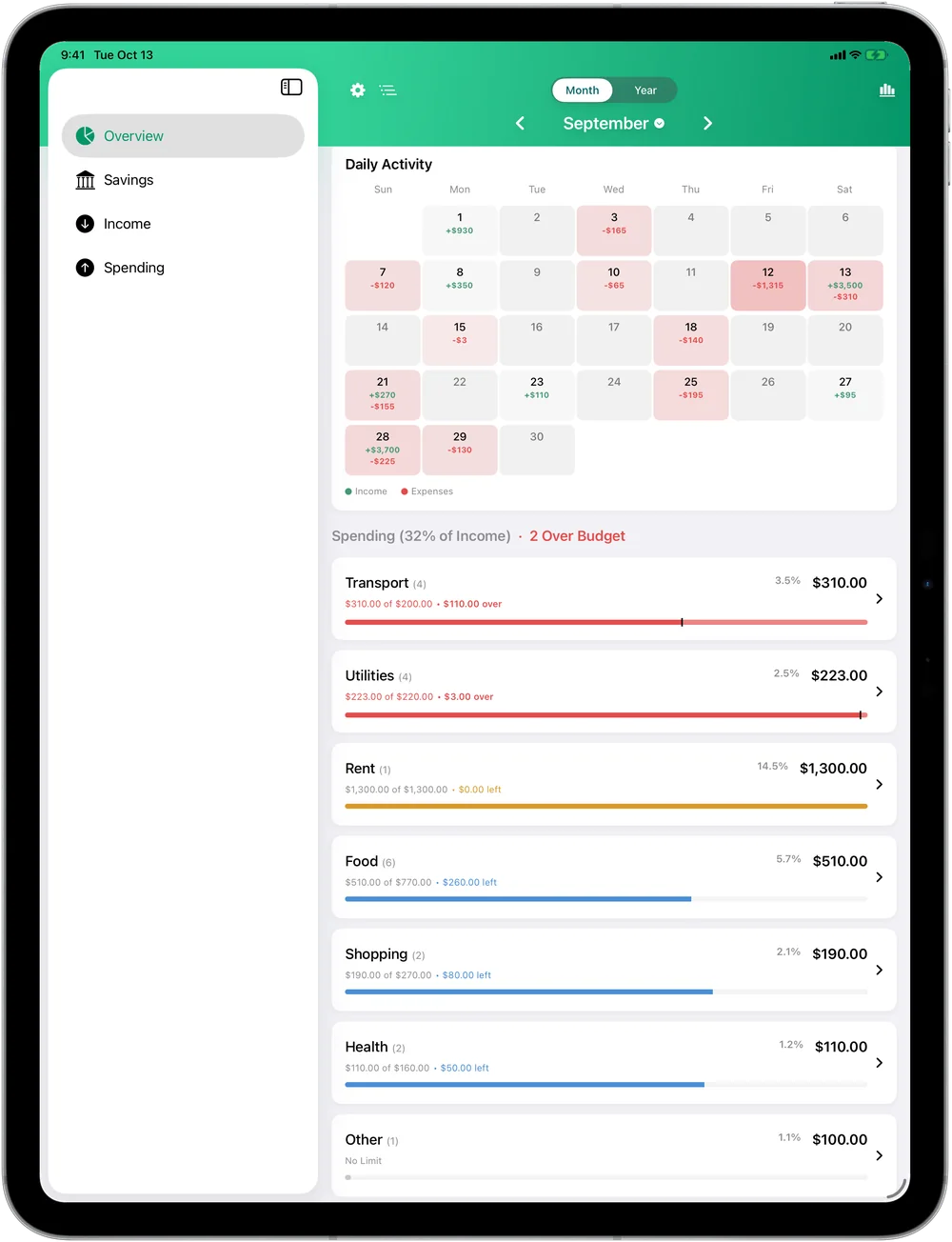
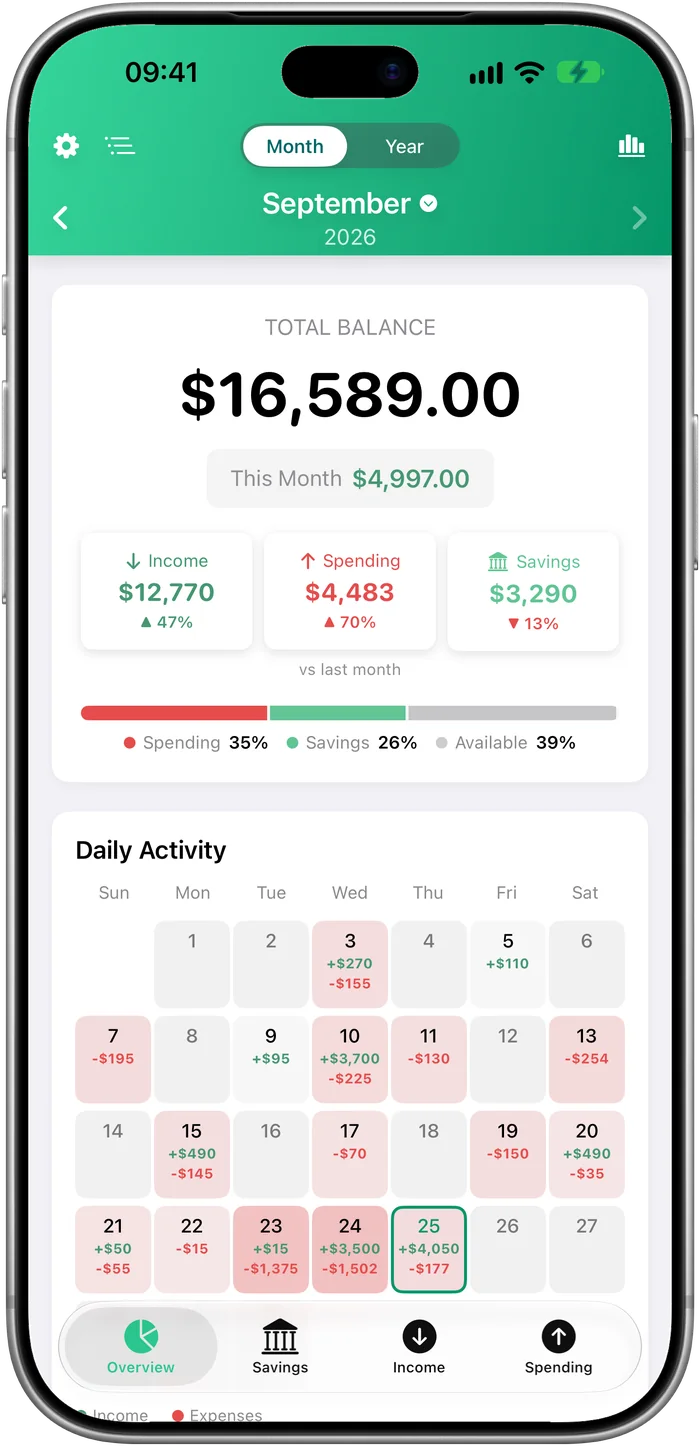
The month as a living calendar — every day tinted by how much you spent, so the heavy days stand out at a glance. Tap any day to see exactly where it went.
+$3,500.00 Saturday the 5th — payday
Fast entry
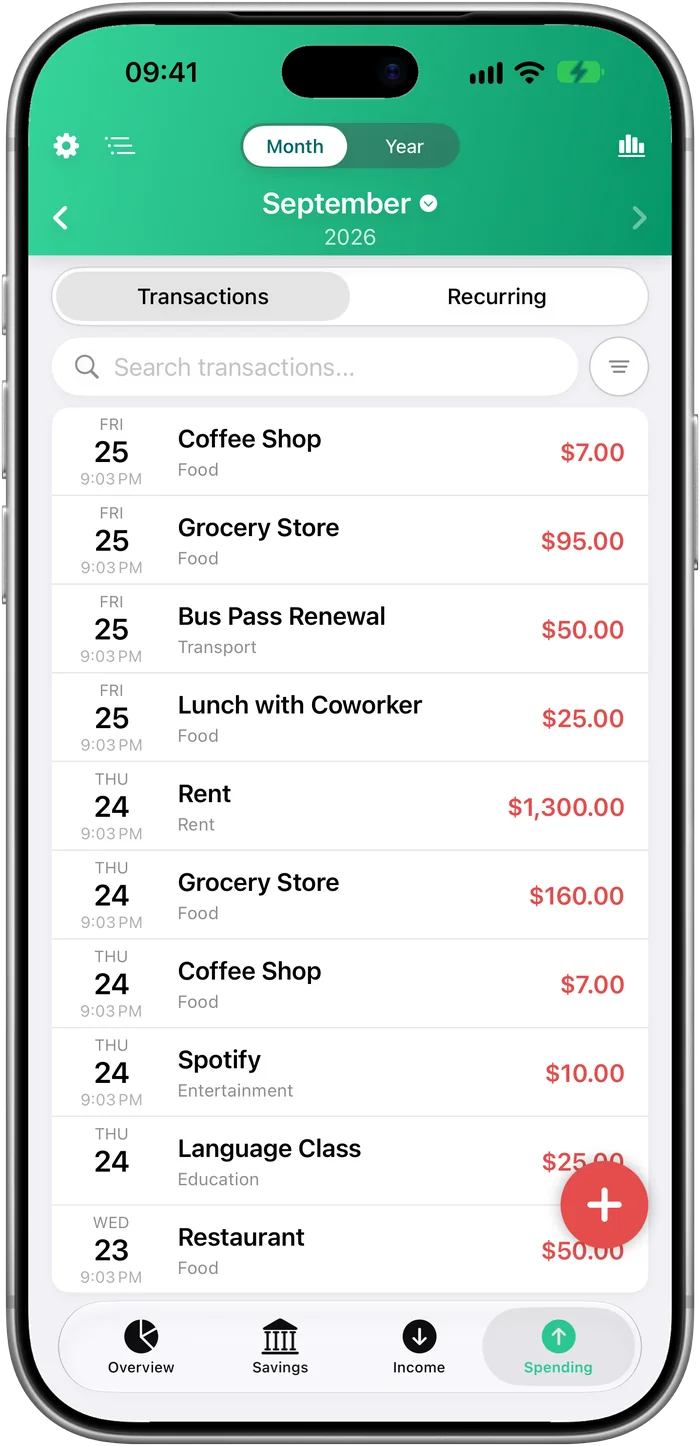
Log it in seconds
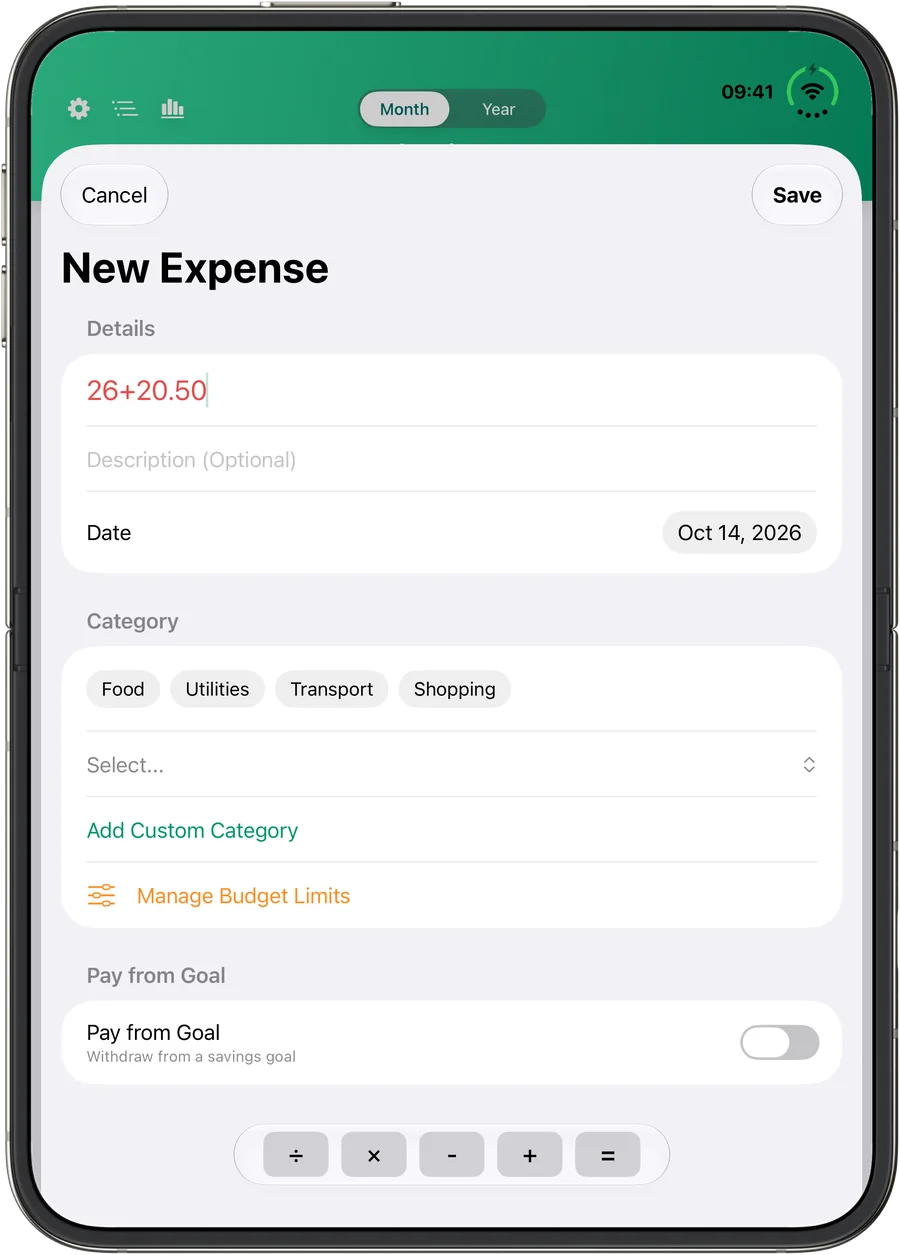
Do the math right in the amount field — 26+20.50 just works. A calculator bar lives on the keyboard, so splitting a bill never leaves the app.
−$46.50 Dinner, split two ways
Goals
Save for what you love
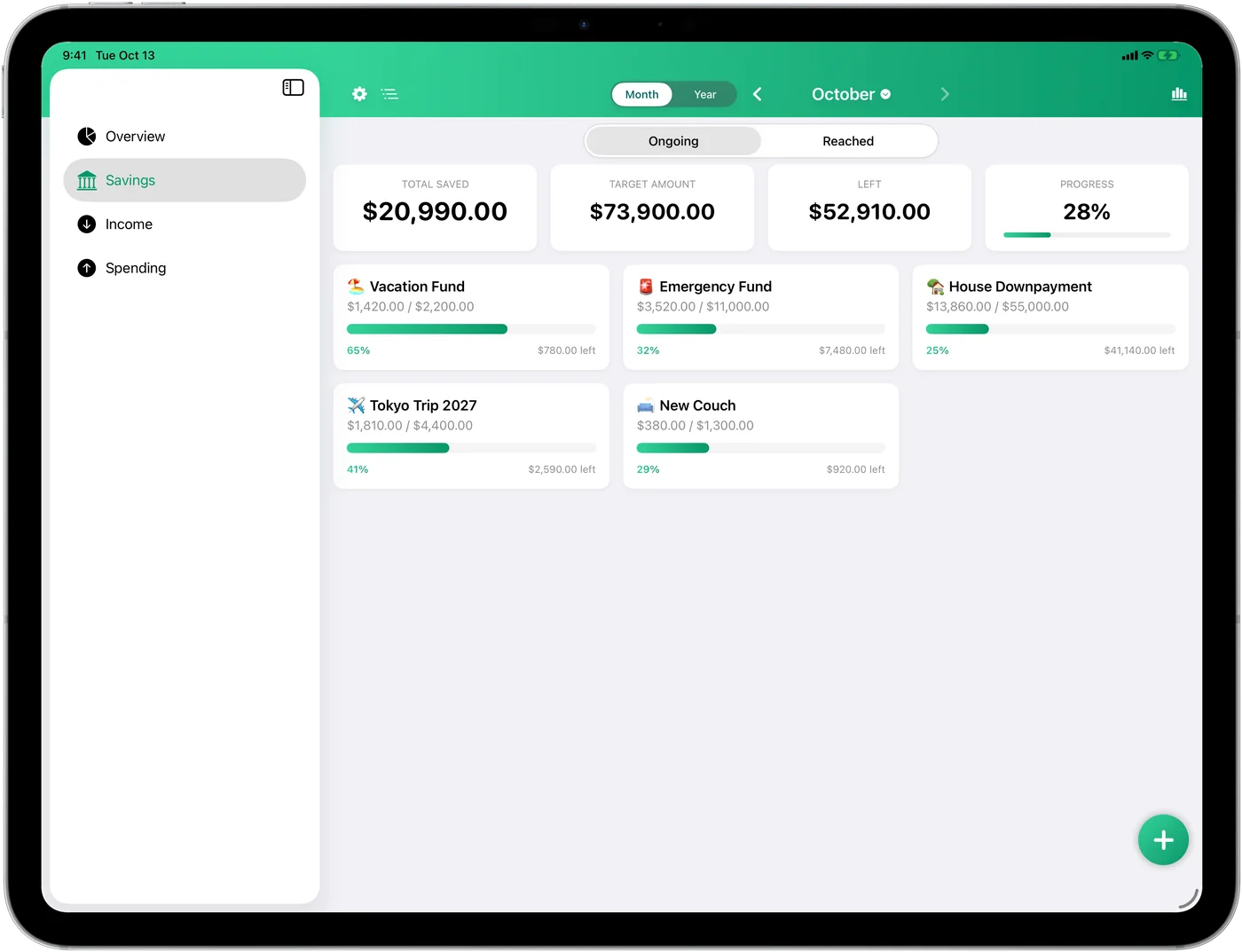
Vacation fund, emergency cushion, the new laptop — each goal gets a bar that fills as you do. Hit every savings target easily.
65% Vacation Fund · $780.00 to go
Budgets
Stop the overspending
Set a limit per category and see budget vs. actual at a glance — before the month ends, not after.
2 categories in the red — caught before month-end
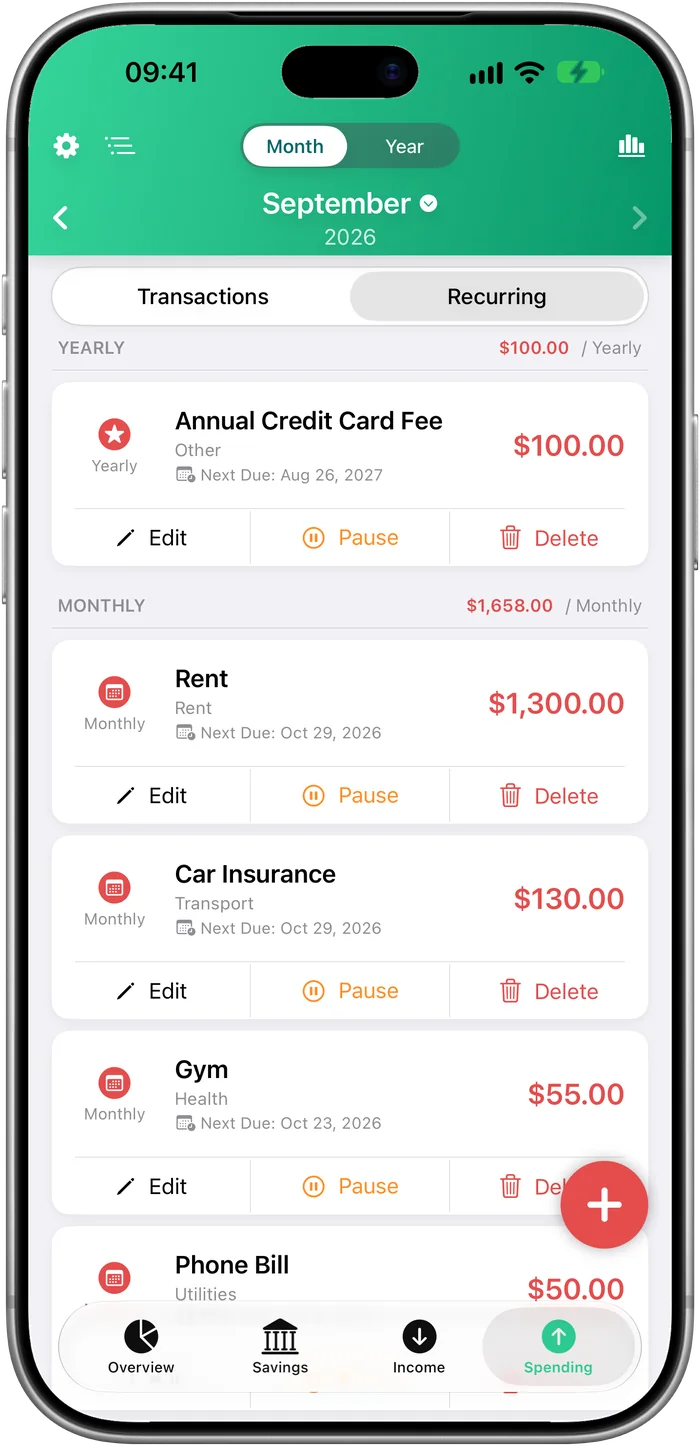
Recurring
Set it and forget it
Rent, bills and salaries post themselves on schedule. Upcoming payments show up before they hit.
$1,658.00 a month — rent, bills & subscriptions on autopilot
Your data is yours. Period.
Your financial data is your business, not ours. CoreSpend has no servers to send it to.
Zero sign-upsNo accounts. No emails. No passwords.
Your devices, your iCloudData lives on your iPhone, iPad and Mac and syncs through your personal iCloud. No servers of ours in between.
Nothing soldYou are the customer — not the product.
No subscriptionsOne-time purchase. Lifetime ownership.
Localization
Speaks your language. Counts your currency.
Thirty-one languages, end to end — categories, charts, widgets, even realistic local amounts. ¥ has no decimals; zł comes after the number. CoreSpend knows.
…and twenty-one more: English, Español, Italiano, Nederlands, Čeština, Slovenčina, Magyar, Română, Hrvatski, Slovenščina, Dansk, Norsk, Suomi, Български, Eesti, Gaeilge, Lietuvių, Latviešu, Македонски, Malti, Српски.
Widgets & Siri
Your money, at a glance
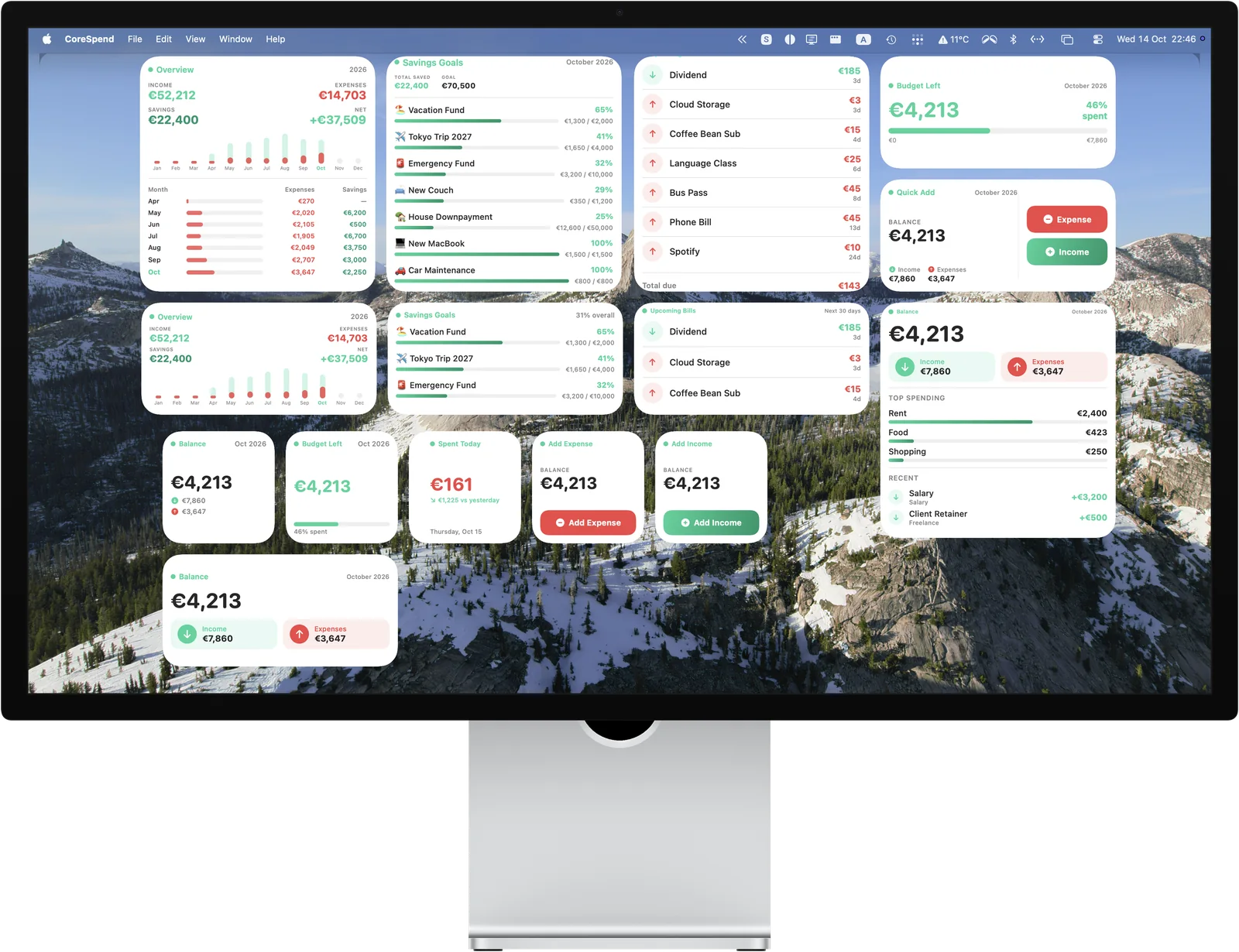
Balance with your latest transactions, budget left, today's spending, goals, upcoming bills and quick add — as widgets for your Home Screen, Lock Screen and the Mac desktop, in every size. Or skip the screen entirely: "Hey Siri, log a $4 coffee."
Widgets for Home Screen, Lock Screen & Mac desktop
New in 1.4
iPad & Mac. Out now.
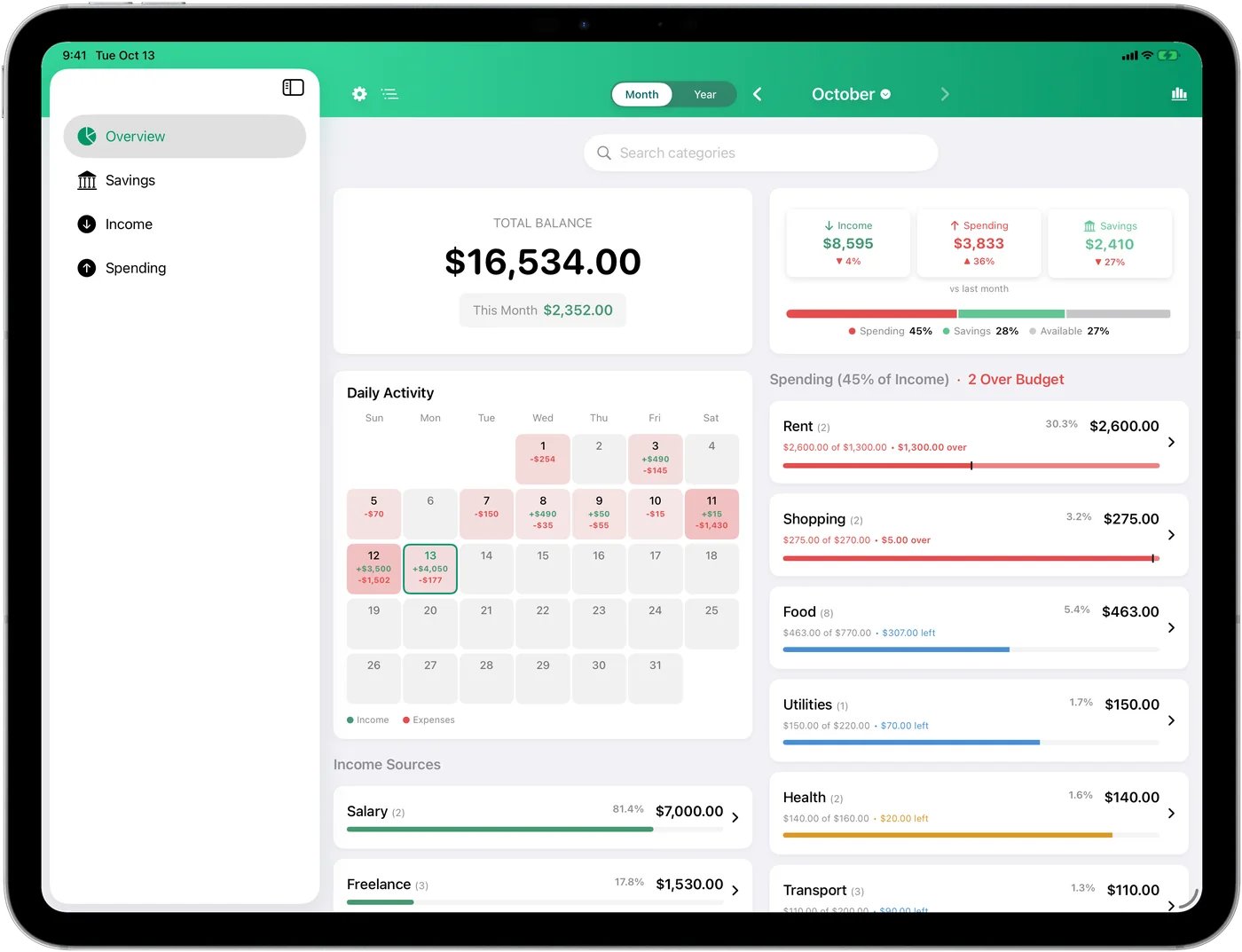
One budget, every screen. The same app — same privacy, same one-time price — on iPhone, iPad and Mac, kept in step by your own iCloud. Add an expense on the phone and it's on the Mac before you've put the phone down.
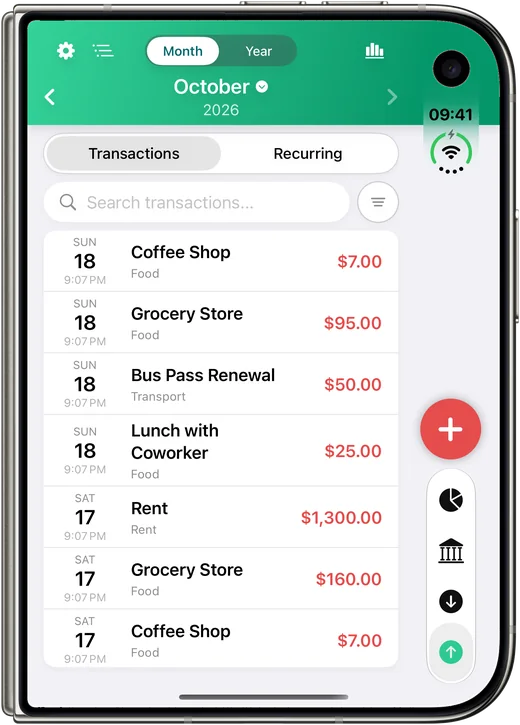
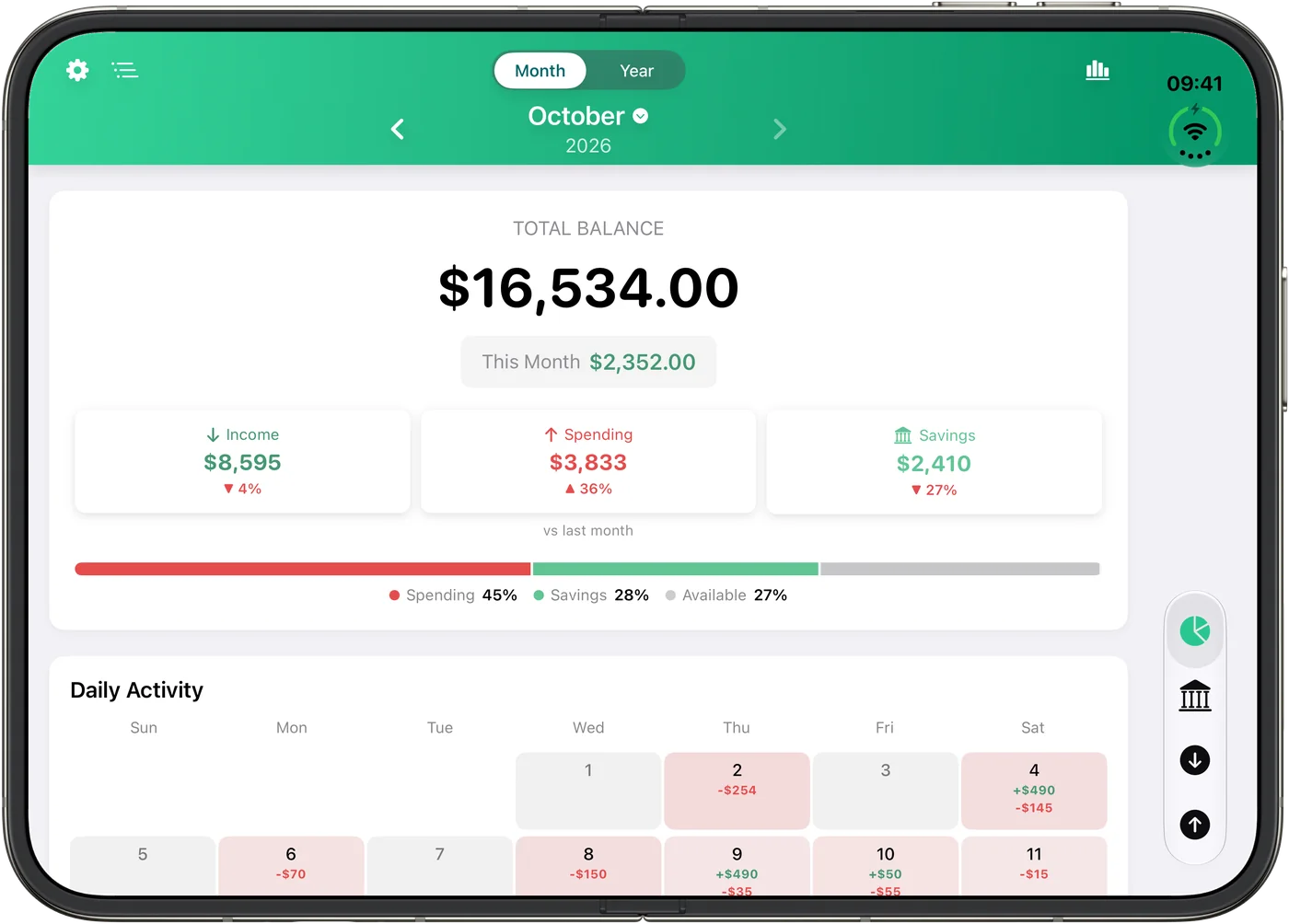
Out nowiPhonev1.4 — iCloud sync, a clearer Overview, refreshed widgets. Opens up on iPhone Duo, too.
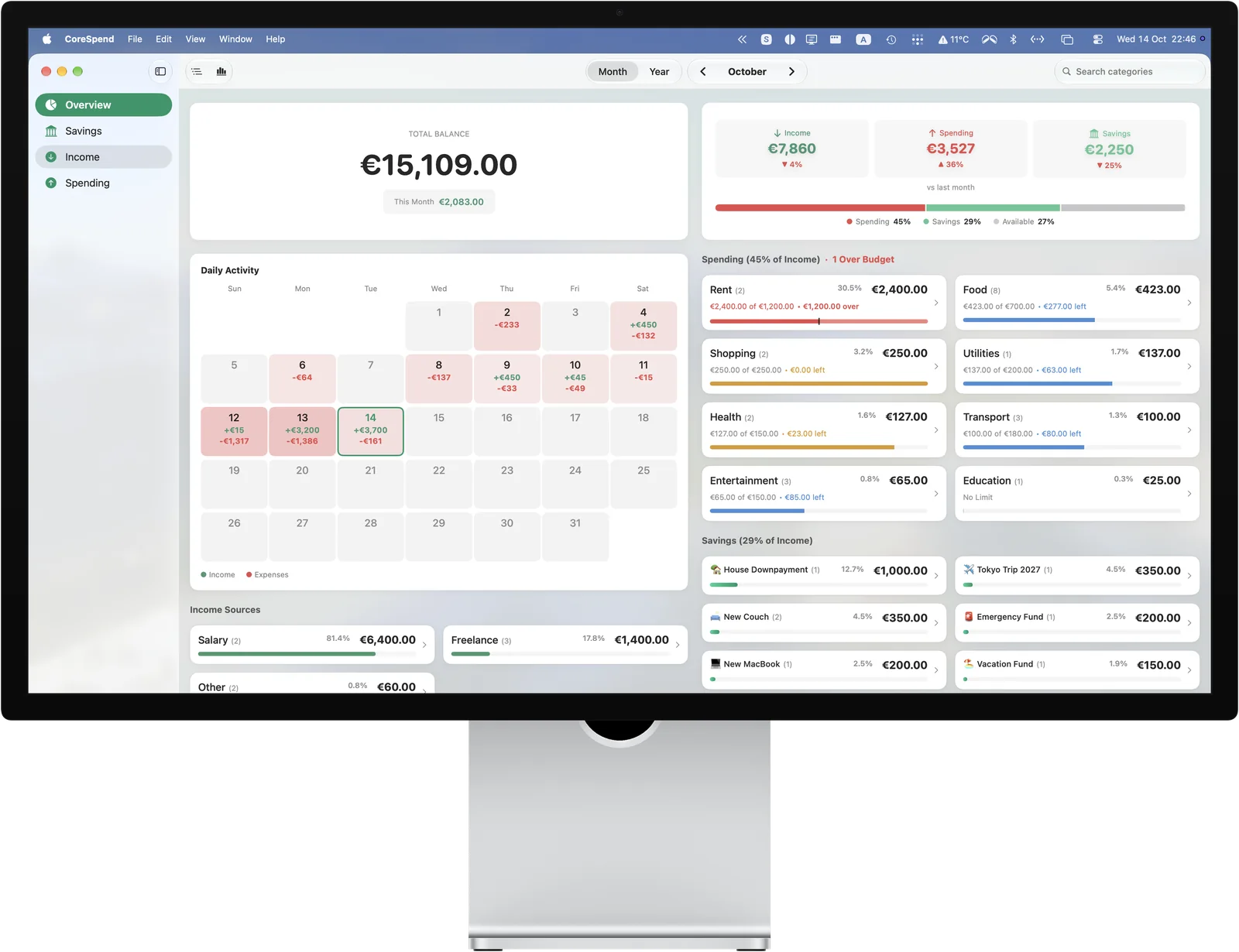
Out nowiPadThe whole month on one screen: two columns, a sidebar, keyboard shortcuts
Out nowMacA native app with menus, ⌘ shortcuts and desktop widgets
iCloudSynced
iPhone · iPhone Duo · iPad · MacBook · Mac with Studio Display — one iCloud, one budget
Own it. Don't rent it.
Everything above for less than one coffee — once. No trial that expires. No premium tier. No ads.
iPhone and iPad: iOS 17.6 or later · Mac: macOS 26.2 or later · One purchase covers all three
Fair questions
Where does my data actually live?
On your iPhone, iPad and Mac. CoreSpend has no servers and no accounts — nothing to breach, nothing to sell. Sync happens only through your personal iCloud, which we can't read.
Does it sync between my iPhone, iPad and Mac?
Yes — through your own iCloud, with no CoreSpend account involved. Add an expense on one device and it shows up on the others in seconds. One purchase covers all three, and the app keeps working on its own if you don't use iCloud.
What happens when I get a new iPhone, iPad or Mac?
Sign into the same iCloud account and your budget is there. Same for a reinstall.
Why $0.99 once instead of a subscription?
A budgeting app that charges monthly works against you. You pay once, you own it — every future update included.
Does it work offline?
Completely. Everything is on-device; iCloud sync just catches up when you're back online.
Can Siri really log an expense?
Yes — "Hey Siri, log a $4 coffee" adds it without opening the app. Widgets cover the glancing; Siri covers the hands-full moments.